
Coreway TMS: Truckstop Load Search for dispatch agencies
Certified Truckstop Load Search integration. Dispatchers search Truckstop loads for a carrier's truck inside Coreway, on that carrier's own Truckstop account.
Description
Coreway is dispatch software for agencies in the US that dispatch for carriers. A load is created in the Coreway portal, sent to the driver in the Coreway Driver app, moves through pickup and delivery with BOL and proof of delivery, and closes into the carrier's and the agency's ledgers.
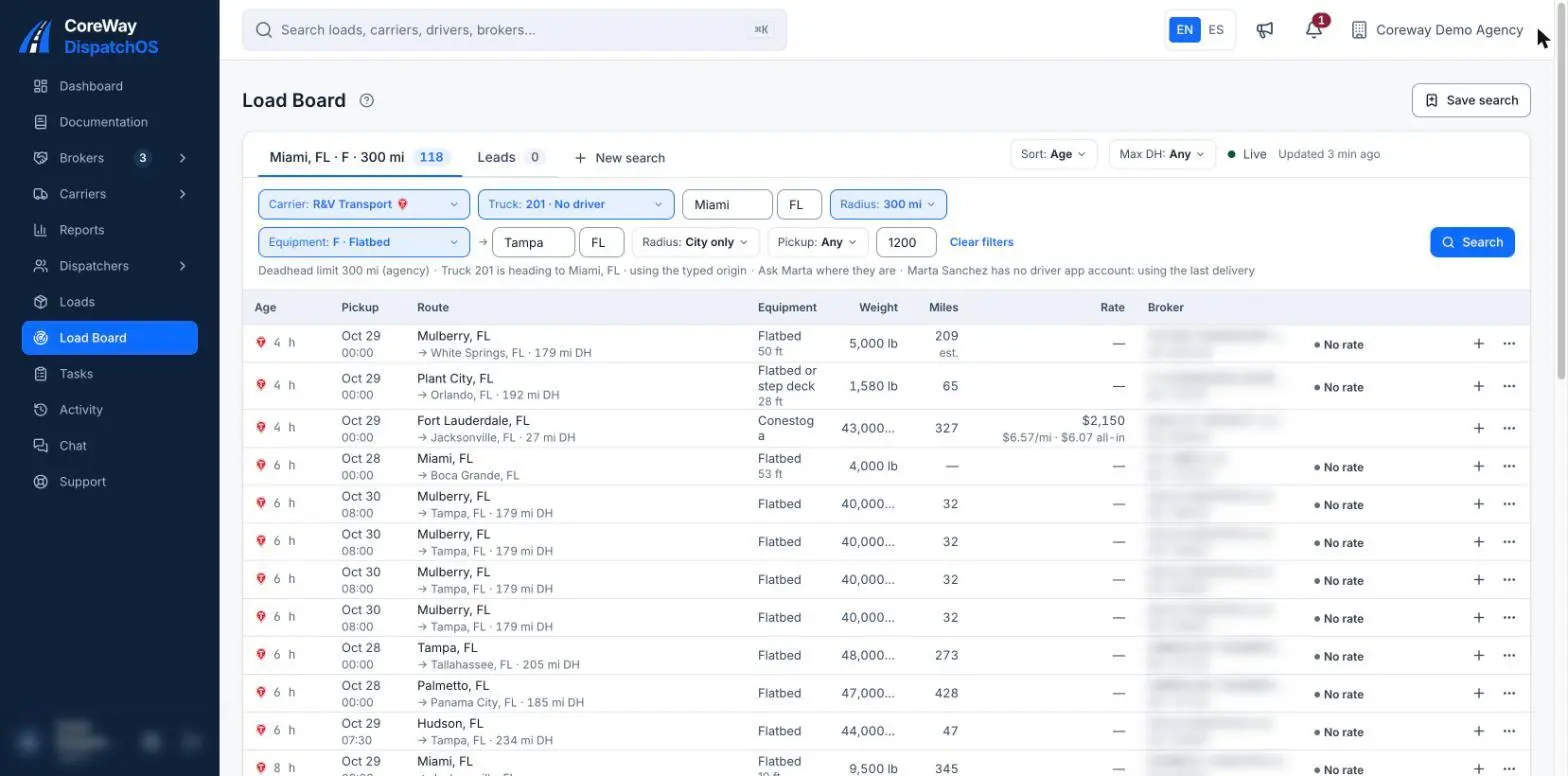
Coreway's Truckstop Load Search integration is certified by Truckstop. Dispatchers search Truckstop's load board from inside Coreway for a specific carrier's truck: the search starts from where that truck is, takes one to three equipment types, origin and destination radius and a pickup date range, and keeps up to seven search tabs open. A load found on Truckstop can be marked as one the dispatcher is working, then booked into a Coreway load without retyping it.
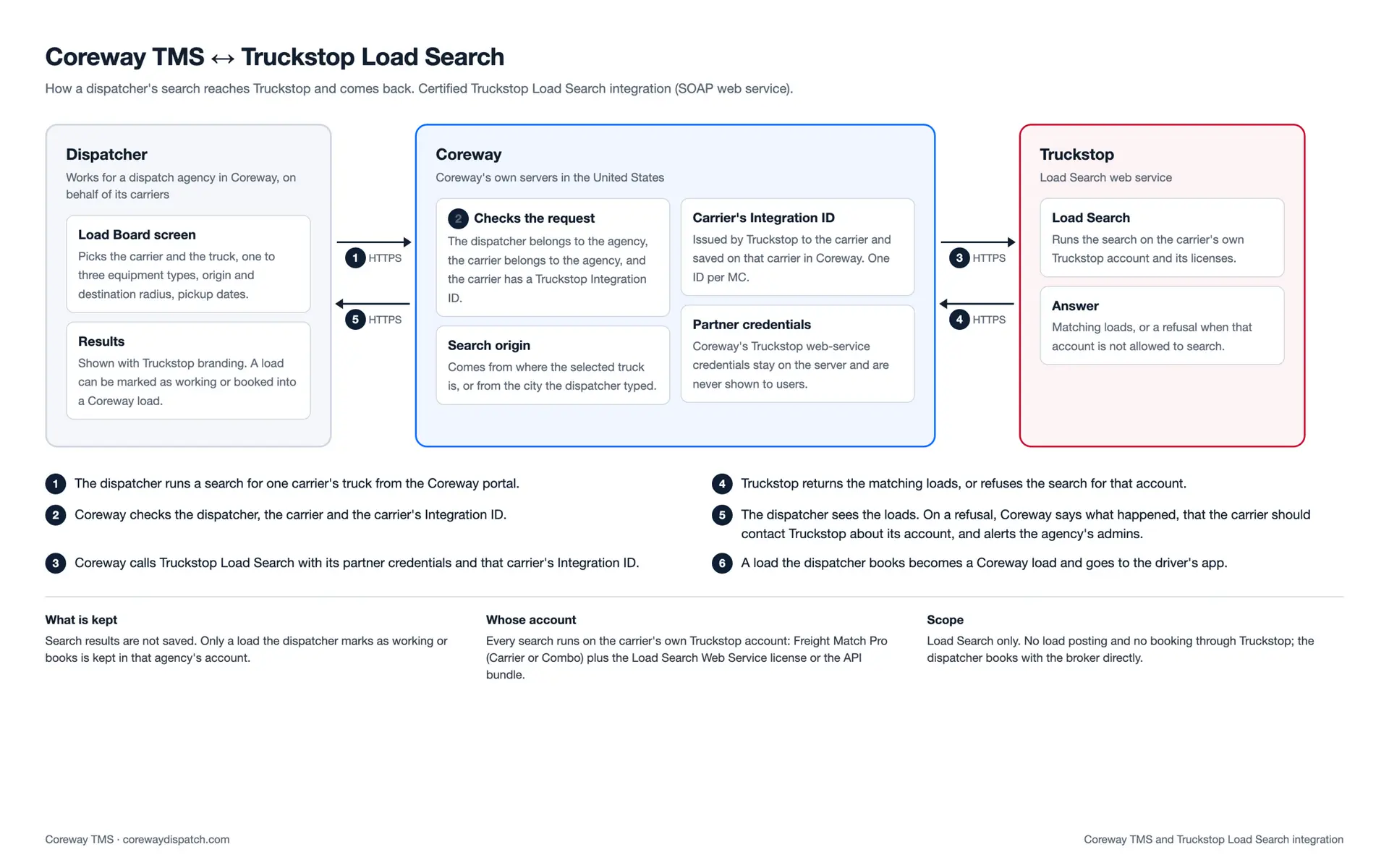
Every search runs on the carrier's own Truckstop account. Truckstop issues each carrier its own Integration ID, and Coreway switches search on for that carrier once the ID is in place. If Truckstop refuses a search for that account, Coreway says so plainly and tells the dispatcher that the carrier needs to contact Truckstop.
Coreway's Truckstop Load Search integration is certified by Truckstop. Dispatchers search Truckstop's load board from inside Coreway for a specific carrier's truck: the search starts from where that truck is, takes one to three equipment types, origin and destination radius and a pickup date range, and keeps up to seven search tabs open. A load found on Truckstop can be marked as one the dispatcher is working, then booked into a Coreway load without retyping it.
Every search runs on the carrier's own Truckstop account. Truckstop issues each carrier its own Integration ID, and Coreway switches search on for that carrier once the ID is in place. If Truckstop refuses a search for that account, Coreway says so plainly and tells the dispatcher that the carrier needs to contact Truckstop.
Benefits
From search to booked load without retyping
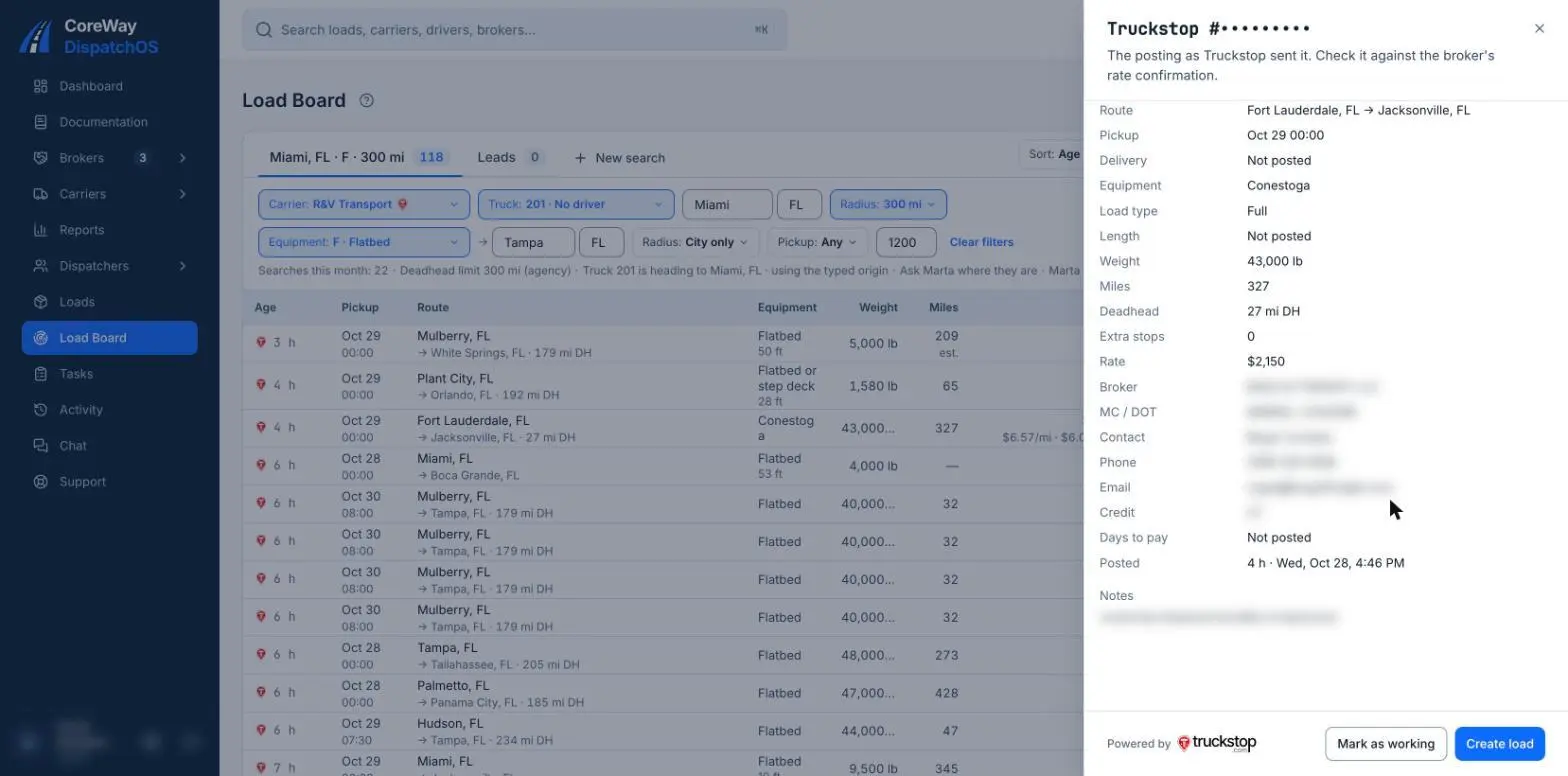
A Truckstop load the dispatcher books becomes a Coreway load with its details already filled in, ready to send to the driver.
Searches start from the truck
The dispatcher picks the carrier and the truck, and the search origin comes from where that truck is, so the next load lines up with the current one.
Clear answers when an account is refused
If Truckstop refuses a carrier's search, Coreway shows the dispatcher what happened and that the carrier should contact Truckstop about its account, and alerts the agency's admins.
Use Cases
- Find the next load for a truck that is about to deliver, starting from that truck's location.
- Search up to three equipment types at once (for example Van and Reefer) without leaving the dispatch portal.
- Mark the Truckstop loads the team is calling on, so two dispatchers do not work the same load.
- Book a Truckstop load straight into Coreway and send it to the driver's phone.
Media
Integration Diagrams
Coreway sends the dispatcher's search for one carrier's truck to Truckstop Load Search, with Coreway's partner credentials and that carrier's Integration ID, and shows the matching loads in the Coreway Load Board. Search results are not saved; only a load the dispatcher marks as working or books is kept in the agency's account. Load Search only: Coreway does not post loads or book through Truckstop.
Data
Load Board results and booked loads
Load Board results and booked loads
Truck search: origin, destination, equipment, pickup dates
Truck search: origin, destination, equipment, pickup dates


Data
Truckstop load postings (Load Search)
Truckstop load postings (Load Search)
Load Search request with the carrier's Integration ID
Load Search request with the carrier's Integration ID
Next Steps
How a carrier gets connected
- The carrier has an active Truckstop account with Freight Match Pro (Carrier or Combo), plus the Load Search Web Service license or the API bundle.
- The carrier emails [email protected] asking to be set up with Coreway TMS for Load Searching, with [email protected] in copy.
- Truckstop issues the carrier's Integration ID, and Coreway switches Truckstop search on for that carrier.





.png)

.png)

